34 HVAC social media post ideas (with captions)
34 HVAC post ideas for Facebook and Instagram, a month-by-month seasonal calendar and ready caption examples that turn posts into booked calls.
By James Olawale · · 9 min read
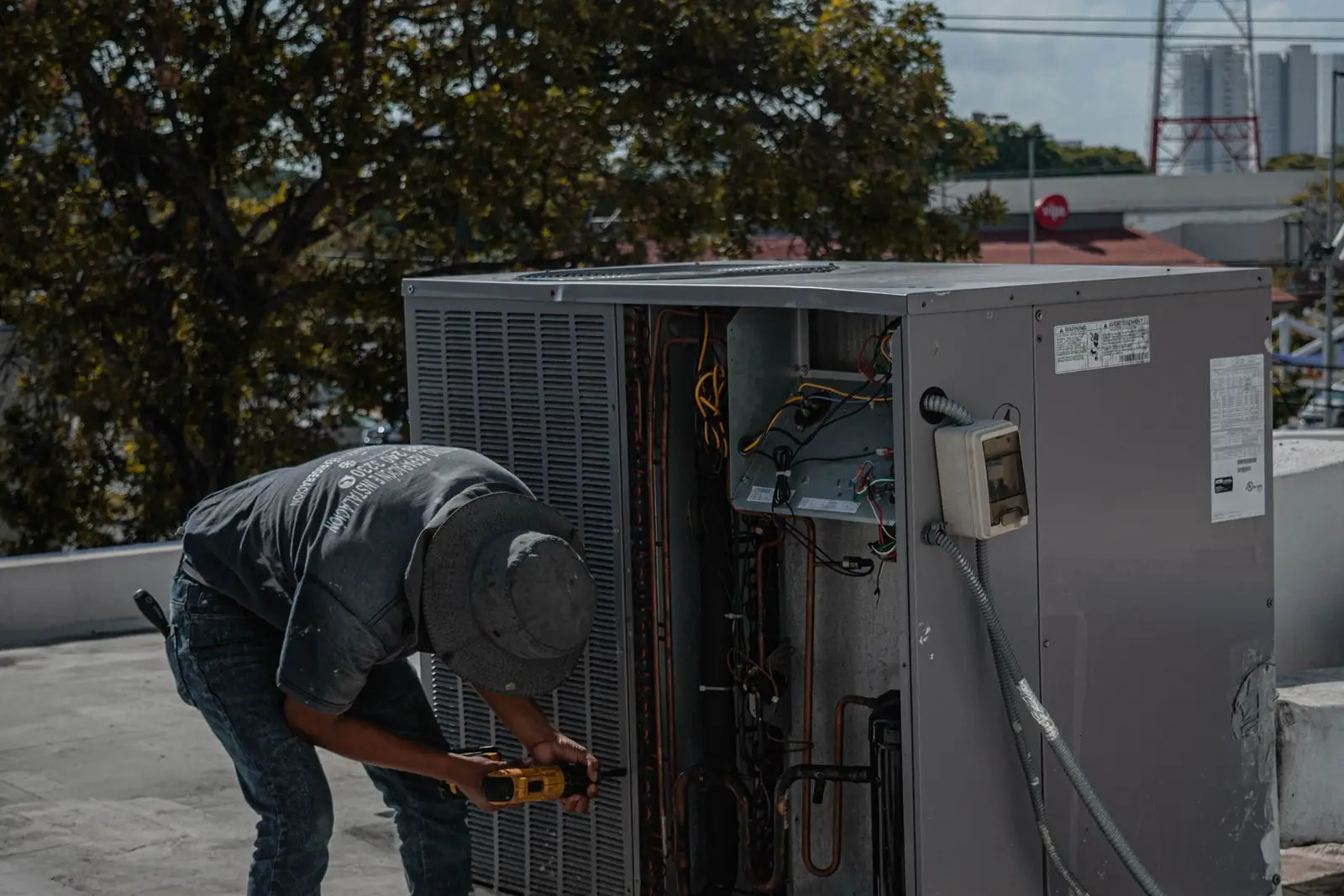
The best social media posts for HVAC companies are timed to the weather and show real work: a tune-up reminder before the first hot week, a clean install photo from yesterday's job, a 20-second filter tip, and a review from a customer whose AC came back on during a heat wave. Post 3–4 times a week on Facebook and Instagram, keep your phone number in every caption, and make sure your Google Business Profile tells the same story. Below are 34 ideas in a table, a seasonal calendar, caption examples and the steps that turn a post into a booked call.
What should an HVAC company post on social media?
Most people ignore their heating and cooling until it breaks. Your posts should make you the name they remember when it does, and give them a reason to book maintenance before it does.
That means a mix of:
- Reminders that tie maintenance to the season.
- Proof that you do clean, careful work (installs, before/afters, reviews).
- Useful tips homeowners can do themselves, like changing a filter.
- People: your techs, your vans, your office team.
- Offers with clear terms, and an obvious way to call.
A good week: one job photo or video, one tip, one review or team post, and one seasonal reminder or offer. Three good posts beat seven rushed ones; see how often a small business should post.
34 HVAC social media post ideas
| # | Type | Post idea |
|---|---|---|
| 1 | Seasonal reminder | "AC tune-up season is open. Book before the first 90° day." |
| 2 | Seasonal reminder | "Furnace check before you turn the heat on for the first time." |
| 3 | Seasonal reminder | Countdown Story: "Two weeks of tune-up slots left this month." |
| 4 | Seasonal reminder | Maintenance plan renewal reminder for existing members. |
| 5 | Before/after | Old rusted condenser next to the new unit on the same pad. |
| 6 | Before/after | Messy wiring or a clogged coil, then the clean result. |
| 7 | Before/after | Ductwork before and after sealing. |
| 8 | Install | Short video walking around a finished install. |
| 9 | Install | Close-up of a tidy line set and clean labeling. |
| 10 | Install | Time-lapse of a full day's install, start to finish. |
| 11 | Maintenance tip | "Three things to check before you call us" (thermostat batteries, breaker, filter). |
| 12 | Maintenance tip | How to keep plants and debris away from the outdoor unit. |
| 13 | Maintenance tip | What that noise means (and when to stop running the system). |
| 14 | Maintenance tip | Thermostat settings for when you're away. |
| 15 | Filter reminder | "First of the month: check your filter." Same graphic every month. |
| 16 | Filter reminder | Dirty filter next to a new one. No caption needed beyond the reminder. |
| 17 | Filter reminder | How to find your filter size (it's printed on the frame). |
| 18 | Team | Meet the tech: name, years in the trade, favorite part of the job. |
| 19 | Team | Morning van loadout video. |
| 20 | Team | New hire welcome or certification earned. |
| 21 | Team | The office team who answers the phone. |
| 22 | Van and brand | Freshly wrapped van photo: "If you see us in your neighborhood, wave." |
| 23 | Van and brand | Service area map: the towns you cover. |
| 24 | Review | Screenshot of a Google review with a thank-you caption. |
| 25 | Review | Customer quote over the photo of their job (with permission). |
| 26 | Review | Reply-style post: "Here's what we did for Mrs. K's no-heat call." |
| 27 | Financing/offer | Financing available on new systems, with the real terms. |
| 28 | Financing/offer | Tune-up price for this month only, with an end date. |
| 29 | Financing/offer | Referral thank-you: what a customer gets for sending a neighbor. |
| 30 | Emergency service | "Yes, we answer nights and weekends." Your number, large. |
| 31 | Emergency service | Heat wave post: what to do while you wait for a tech. |
| 32 | Emergency service | Cold snap post: keeping pipes and people safe until the heat's back. |
| 33 | Education | Repair or replace? The questions you ask before recommending either. |
| 34 | Education | What happens during a tune-up, step by step, as a carousel. |
Only post "24/7" if someone really answers. A 24/7 post followed by voicemail costs more trust than silence.
A seasonal calendar for HVAC posts
HVAC demand follows the weather, so your posts should too. The U.S. Department of Energy's consumer guide to home heating and cooling says air conditioners should be inspected in the spring and furnaces checked in the fall. That's your calendar handed to you.
| When | Focus | Example posts |
|---|---|---|
| Late winter to spring | AC tune-ups | Booking open, what a tune-up includes, outdoor unit cleanup tip |
| Early summer | Before the first heat | Filter reminder, thermostat tips, maintenance plan pitch |
| Heat waves | Emergency and safety | "We're running extra calls," what to do while you wait, staying cool tips |
| Late summer | Replacement decisions | Repair or replace, financing post, install before/afters |
| Early fall | Furnace checks | Furnace tune-up booking, first-heat smell explainer, carbon monoxide detector reminder |
| Cold snaps | No-heat calls | After-hours number, pipe safety, "check your vents aren't blocked" |
| Holidays | Community | Team photo, holiday hours, thank-you to customers |
Post reminders two to four weeks before the weather turns, since by the first 95° week your schedule is already full. Write heat wave and cold snap posts now so they're ready the morning the forecast changes.
For a template to plan this out, see our social media content calendar template.
Maintenance tips that are worth posting
Tips get saved and shared. Keep them simple, and send anything involving gas, electrical panels or refrigerant to a pro.
Filter reminders are the easiest win. The DOE guide says to clean or replace filters monthly during seasons of peak use, and its Home Cooling 101 guide says routinely replacing or cleaning filters can cut an air conditioner's energy use by 5 to 15 percent. Quote the source when you use the number, and don't stretch it into a promise about anyone's bill.
First of the month, so here's your reminder: check your air filter. If you can't see light through it, swap it. The size is printed on the edge. Running low? We carry the common sizes on every van. Call (555) 010-2290.
Photo and video tips on the job
You don't need a camera crew. You need a tech who takes four photos per job.
- Shoot the before first. Once the old unit is out, the before shot is gone. Make it a habit at arrival.
- Same angle for before and after. Stand in the same spot so the comparison is obvious.
- Clean the frame. Move tools, tape and the customer's recycling bin out of the shot.
- Horizontal for Facebook, vertical for Reels and Stories. Shoot a few of each.
- Ask before you film inside a home. Avoid house numbers, family photos, kids and anything that reveals the address. Get the homeowner's okay before you post any part of their house.
Our phone photography tips for small businesses cover light and framing in more detail.
HVAC caption examples
Keep captions short, specific and local. Lead with the situation, add one useful detail, and end with your number or a booking link.
Tune-up reminder:
AC tune-ups are booking now for April and May. A tech checks refrigerant levels, cleans the coils, tests the capacitor and clears the drain line. About an hour, and you'll know where your system stands before summer. Call (555) 010-2290 or book from the link in bio.
Install before/after (with the homeowner's permission):
Left: a 19-year-old condenser that gave up last Tuesday. Right: the new high-efficiency unit Marcus installed Thursday. The homeowner's first comment: "I forgot it was running." Thanks for trusting us, Linda.
Heat wave:
It's going to be 101° through Friday. We're running extra crews today and tomorrow. While you wait: close blinds on the sunny side, keep the thermostat at one setting, and don't keep turning the system off and on. Need us? (555) 010-2290.
More on structure in how to write Instagram captions.
Reviews and offers: keep them real
Reviews are your strongest posts, and they're also where you can get into trouble. The FTC's rule on fake reviews and testimonials bans fake reviews, buying positive reviews and reviews written by insiders without disclosure. Share only real reviews, ideally screenshots from Google or Facebook with the reviewer's name as shown publicly. For ways to get more of them, see how to get more Google reviews.
For offers and financing, state the real terms: price, what's included, end date, and "subject to credit approval" where it applies.
How posts turn into booked calls
A good post only matters if the next step is easy. Most homeowners who see your post will check you out on Google before calling.
- Put your number everywhere. In your Instagram and Facebook bio, as a call or contact button on your profile, and in the caption of every service post. On a phone, a number in a caption is often one tap away from a call.
- Keep your Google Business Profile in sync. Google says that more reviews and positive ratings can help your local ranking, and that photos and videos help show customers what you offer. Post the same install photos there. Our guide to Google Business Profile optimization walks through it.
- Answer the phone. If the call goes to voicemail on a hot Friday, they call the next company.
- Ask "How did you hear about us?" on every new call. It's the simplest way to know whether social media is working.
- Follow up after the job. A thank-you text with a review link, then a maintenance reminder email in six months.
If you serve homes beyond heating and cooling, our page for home services businesses shows how Scala plans posts for trades.
Where Scala fits
Scala is the AI marketing team we make for small businesses. It plans and designs a week of Instagram and Facebook posts (plus X on the Growth and Scale plans) from your own job photos and logo. It checks every word, your logo and any people in a design before you see it, and falls back to its own clean layout if a check fails. It never invents products or people, and it asks you for a photo when a post would be better with one. Nothing goes out until you approve it. It also sends email campaigns to your customer list, makes reels from your own clips on Growth and Scale, and checks your website. It doesn't run ads, take photos, or reply to messages, and TikTok is still rolling out. Plans are $19, $79 and $249 a month; see pricing.
Frequently asked questions
What should an HVAC company post on Facebook and Instagram?
Seasonal tune-up reminders, before and after photos of real installs, simple maintenance tips like filter changes, team and van photos, real customer reviews, and clear offers or financing posts with terms. Always include your phone number.
How often should an HVAC business post on social media?
Three to four posts a week works for most small HVAC companies, with more around the start of cooling and heating season. Consistency matters more than volume.
When should HVAC companies post tune-up reminders?
A few weeks before the season turns. The Department of Energy recommends inspecting air conditioners in the spring and furnaces in the fall, so start AC reminders in late winter and furnace reminders in late summer.
Can I post photos of a customer's home?
Ask the homeowner first, and keep house numbers, family photos and anything that shows the address out of the frame. Outdoor units and equipment close-ups are usually the safest shots.
Do social media posts actually bring in HVAC calls?
They can, when posts lead somewhere easy: a phone number in the caption, a call button on your profile, and a Google Business Profile with recent photos and reviews. Ask every new caller how they found you so you know what's working.