Social media for tradies: 30 post ideas that win jobs (AU)
30 post ideas for Australian tradies, which platforms matter, a weekly routine from the ute that fits around jobs, photo tips and the ACCC rules on reviews.
By James Olawale · · 8 min read

The best social media for tradies is simple: post finished jobs with before and after photos, show work in progress, introduce the team, share a quick tip now and then, and ask happy clients for reviews. Put most of your effort into a Facebook Page, local community groups, Google Business Profile and Instagram. Three posts a week, snapped on site and posted from the ute, is enough to stay in front of locals when they need a quote.
Below: which platforms matter, what to post, 30 post ideas, a weekly routine, photo tips, the rules to know and how to get more reviews.
Which platforms matter for tradies
Most tradie work is local, so pick the places where people in your service area look for someone to call.
| Platform | What it's good for | How much effort |
|---|---|---|
| Google Business Profile | Showing up when someone searches "plumber near me", reviews, photos of jobs | Low: add photos and reply to reviews weekly |
| Facebook Page | Job photos, reviews, a place to send people from community groups | Medium: 2 to 3 posts a week |
| Local Facebook community groups | Answering "can anyone recommend a sparky?" posts | Low: check daily, reply when asked |
| Before and after carousels and short Reels, especially for builders, landscapers and painters | Medium: share the same photos as Facebook |
Google Business Profile comes first. It's free, it's where many local searches end, and your reviews live there. If you work at clients' homes rather than from a shopfront, Google says to remove your address and list your service area instead (Google Business Profile Help). Our Google Business Profile setup guide walks through it step by step.
Facebook is where locals ask for tradies. Suburb and community groups are full of "who do you recommend for a leaking tap?" posts. Be helpful, follow each group's rules on business posts, and let past clients tag you. A Facebook Page gives them somewhere to land. See our Facebook Page tips for local businesses.
Instagram suits visual trades. Builders, carpenters, landscapers, painters and tilers have work that photographs well. Sparkies and plumbers can still do well with neat switchboards, clean pipework and short "what we found" clips.
What to post
Six types of post cover almost everything a tradie needs.
- Before and after. The single best post for most trades. Same angle, same spot, taken before you start and after you clean up.
- Job-site progress. Frame going up, slab poured, tiles half laid. Progress posts show you turn up and get it done.
- Team. Who's coming to the house. People want to know who they're letting in.
- Tips. Short and useful: what to do when the safety switch trips, how to stop a toilet running, when to clean gutters. Never post DIY advice for work that legally needs a licensed tradie.
- Reviews. A screenshot or quote of a real review, with the client's OK.
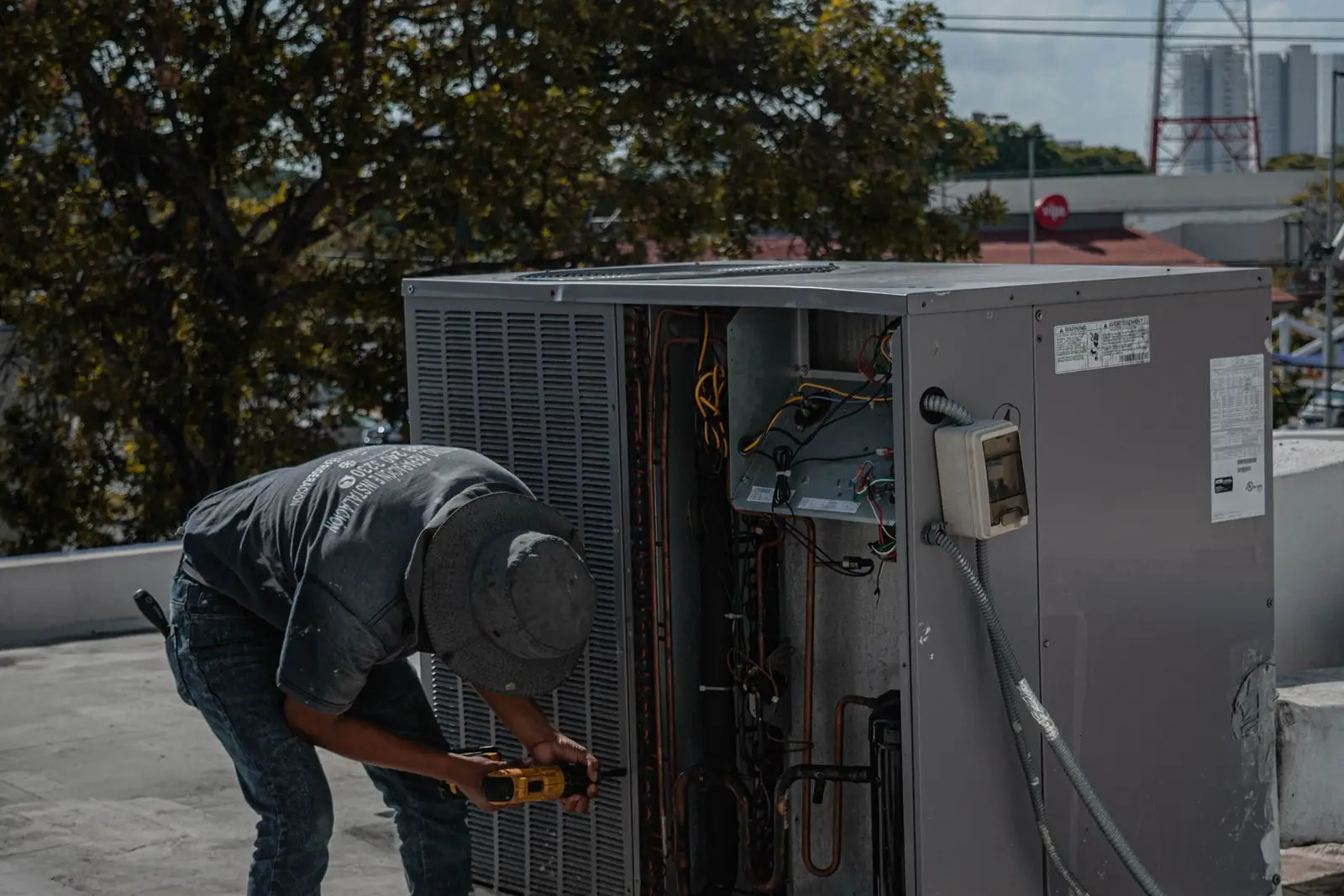
- Seasonal. Air conditioner servicing before summer, gutter cleaning before storm season, decks and fences before Christmas, end of financial year for commercial clients.
30 post ideas for tradies
| Type | Post ideas |
|---|---|
| Before and after | 1. Kitchen or bathroom reno, same angle before and after 2. Old switchboard vs new one 3. Overgrown yard to finished garden 4. Peeling weatherboards to fresh paint 5. Cracked driveway to new concrete 6. Messy cupboard to custom joinery |
| Job-site progress | 7. Day one: site set up and protected 8. Frame or formwork going up 9. Rough-in before the walls close 10. Time-lapse of a deck going down 11. "Halfway there" carousel 12. Clean-up at the end of the day |
| Team | 13. Meet the boss: why you started 14. New apprentice's first week 15. The crew at smoko 16. The ute and the gear you use 17. A team member's favourite job 18. Training or a new ticket completed |
| Tips | 19. What to check before you call a plumber 20. Signs your switchboard needs an upgrade 21. How to keep a new lawn alive in summer 22. Questions to ask when getting a quote 23. How long paint really takes to cure 24. One common mistake you fix all the time |
| Reviews | 25. A client review over a photo of their job 26. A short video thank-you from a client (only if they offer) 27. "Our 50th Google review" milestone |
| Seasonal | 28. Air con service before summer 29. Gutter clean before storm season 30. Book now for work before the Christmas shutdown |
Want more video formats? See our Instagram Reels ideas for small businesses.
A weekly routine from the ute
You don't need an office day for social media. Here's a routine that fits around jobs.
| When | What to do | Time |
|---|---|---|
| On every job | Take a before photo on arrival, a few progress shots, an after photo after clean-up | 2 minutes |
| Monday arvo | Post last week's best before and after to Facebook and Instagram | 10 minutes |
| Wednesday | Post a progress shot or a team photo | 5 minutes |
| Friday | Post a tip or a client review | 5 minutes |
| Daily, at smoko | Check local community groups for recommendation requests | 5 minutes |
| Once a week | Add 3 to 5 new job photos to Google Business Profile and reply to every new review | 10 minutes |
Keep a "for posting" album on your phone so the good shots don't get lost among receipts and measurements. For captions, say what the job was, where (suburb only), and how to get a quote. Our guide to writing captions has simple templates.
Photo tips on site
- Shoot before you touch anything. The before photo is the one most tradies forget.
- Match the angle. Stand in the same spot for the after shot. Use a door frame or a window as your marker.
- Clean up first. Tools, offcuts and empty drink bottles ruin a good after shot.
- Use daylight. Open blinds and turn off the flash. For outdoor jobs, morning or late afternoon light is softer.
- Hold the phone level. Crooked walls and leaning fences look like bad work, even when they're not.
- Get the detail. A close-up of a neat join, a straight cut-in line or tidy cabling shows the quality people pay for.
- Film a few seconds. A slow walk-through of the finished job makes an easy Reel.
More help: phone photography tips for small businesses.
Rules to know before you post
Ask before you photograph a client's home. It's their house. Ask when you quote or start: "Mind if I take a few photos of the work for our page? No house number or street." Keep house numbers, number plates, family photos, kids and anything showing where valuables or alarms are out of shot. Never post the street address.
Reviews and testimonials must be genuine. The ACCC says businesses must not write fake reviews or get others to, and must not hide negative reviews to make the overall picture look better (ACCC: online reviews). If you offer any incentive for a review, it has to apply whether the review is good or bad, and you must disclose it (ACCC guide for business). Don't edit a client's words in a testimonial so they say something they didn't.
Google is stricter than the ACCC on incentives. Google's policy says businesses can't offer discounts, free services or payment for reviews, and can't ask only happy clients for them (Google review policy). So no "A$20 off for a 5-star review", even if you'd disclose it.
Licence numbers in ads. Some states require your licence number on advertising. In NSW, for example, building and specialist trade ads (including electrical, plumbing and gas fitting) must show the licensee's name and licence number, and the rules cover internet advertising (NSW Government: building trade advertisements). Rules differ in other states, so check your state's regulator. The simplest habit is to put your licence number in your Facebook Page intro, Instagram bio and Google Business Profile description.
Don't advertise work you're not licensed for. If you're a carpenter, don't post that you "can sort the wiring too".
How to get more reviews
Reviews are what turn a stranger's search into a phone call. The trick is to ask at the right moment and make it easy.
- Ask on the day. The best time is when the client is looking at the finished job and saying thanks.
- Send the link straight away. Get your review link from Google Business Profile and text it: "Thanks again, Sarah. If you've got a minute, a Google review helps us heaps: [link]."
- Ask every client, not only the happy ones. That's both fair and Google's rule.
- Reply to every review. Thank the good ones by name. Reply calmly to bad ones and offer to fix the problem offline.
- Share reviews on Facebook and Instagram with the client's OK.
- Put the link everywhere. On invoices, quotes and the email signature.
Our full guide: how to get more Google reviews.
Make it a habit, not a chore
The hard part isn't knowing what to post. It's doing it every week after a long day on the tools. We make Scala for that, so read this with that in mind. Scala plans and designs a week of Instagram and Facebook posts from your own job photos (plus X on the Growth and Scale plans) and posts them after you approve. It can send email campaigns to your own client list, make Reels from your clips on Growth and Scale, and check your website. It doesn't run ads, reply to messages or post to TikTok yet (TikTok is rolling out). In Australia it costs US$19, US$79 or US$249 a month, billed in US dollars. See Scala for Australia or Scala for home services.
Frequently asked questions
What should tradies post on social media?
Before and after photos of finished jobs, progress shots, team photos, short tips, real client reviews and seasonal reminders like air con servicing before summer. Before and after posts usually do the most work.
Which social media platform is best for tradies?
Start with Google Business Profile, because that's where many people search for local trades and where reviews live. Then a Facebook Page plus local community groups. Add Instagram if your work is visual.
How often should a tradie post on Facebook?
Two or three posts a week is enough to look active. Consistency matters more than volume, so pick a number you can keep up during busy weeks.
Can I post photos of a client's house?
Ask first, every time. Leave out house numbers, street signs, number plates, people and anything that shows security details, and never post the address.
Can I give clients a discount for a Google review?
No. Google's policy bans offering discounts, free services or payment for reviews. Under ACCC guidance, any incentive must apply to good and bad reviews alike and be disclosed, but Google won't allow it at all.